Guides
Default Portions: Set Your Group’s Split Ratio Once and Stop Re-Deciding
Read in other languages: Русский·简体中文·Bahasa Melayu·தமிழ்
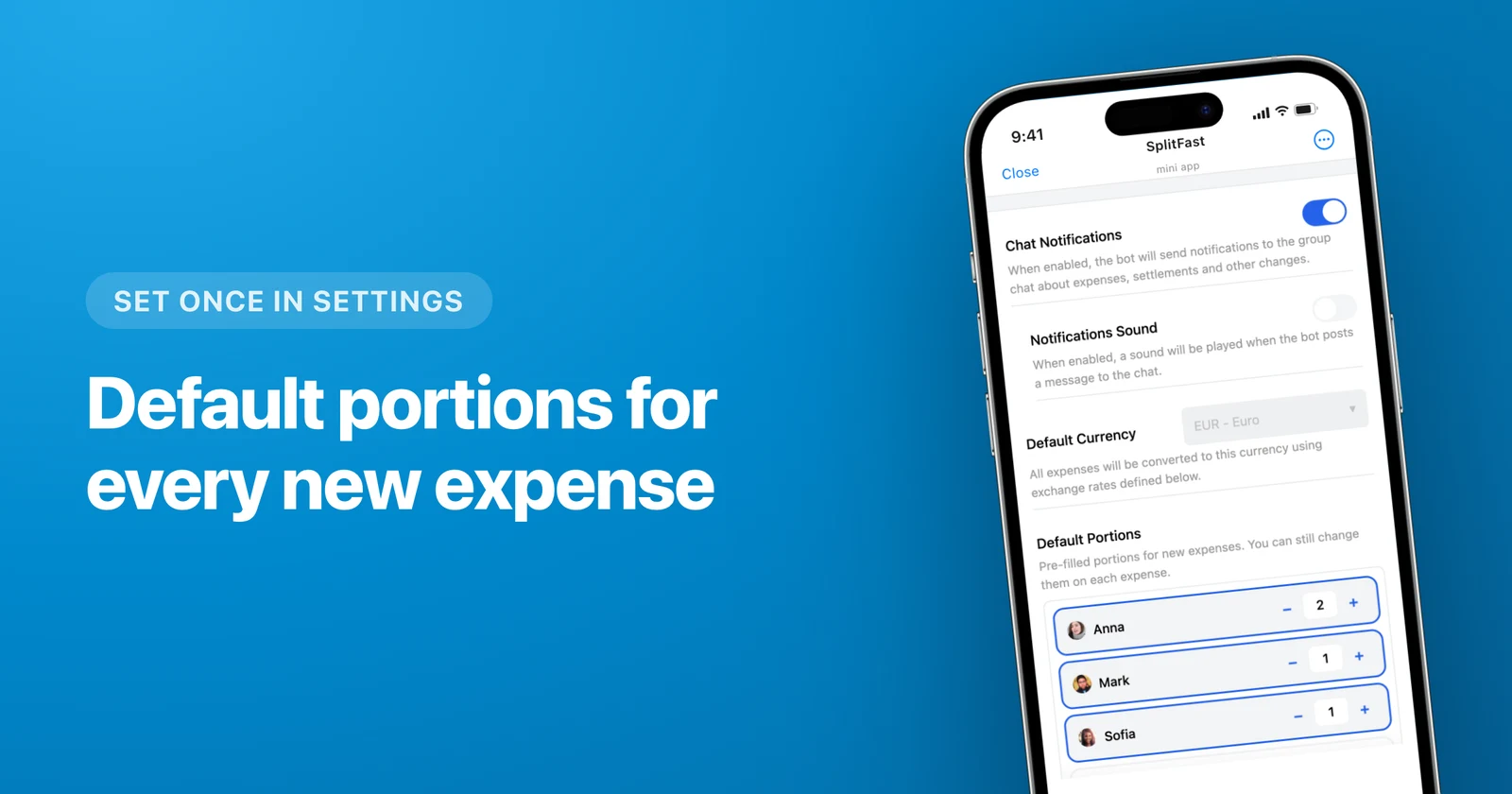
To split expenses in the same proportions every time, save Default Portions for the whole group: each member gets a portion count, and every new expense opens with that layout already applied. And anyone set to 0 never lands in an expense on their own. Not through a receipt scan, not through the bot, not through an item typed in by hand.
A scene every group knows
Friday night, the "Lake House" chat. Kate posts a supermarket receipt for $150 and writes "splitting this". Then the nightly ritual starts. Kate shares a room with her husband, so that is a double share. Ellie, Dan’s sister, is in the chat for the memes, came for one evening, and does not chip in for groceries. Mark asks whether Ellie counts. Sonia asks whether Kate’s husband counts.
At 11:40 pm somebody says "let’s just do it equally", because arguing costs more than overpaying by ten dollars.
And it repeats every week. The same ratio, one the group knows by heart, gets rebuilt by hand twenty times.
What Default Portions are
A ratio saved for the group as a whole. Every member has a portion count: one for a regular member, two for someone paying for two people, zero for someone outside the shared pot. New expenses open with that layout in place.
Take that $150 receipt. Portions in the group: Kate 2, Mark 1, Sonia 1, Dan 1, Ellie 0. Five portions total, so one portion is $30. Kate owes $60, Mark, Sonia and Dan owe $30 each, Ellie owes nothing. Nobody counted, nobody asked.
Setup takes a minute
Open group settings
In the Mini App go to Settings → Default Portions. Everyone is already listed: the bot picked members up from the chat, so there is nobody to add by hand.
Hand out the portions
Everyone starts at one. Use the +/− stepper to give two portions to whoever pays for themselves and a partner. If the group agreed to split by income, put 3 and 2 in place of percentages and a calculator.
Zero out anyone outside the pot
Zero does not remove the person from the group. They still see expenses, balances and the whole conversation. New expenses simply never include them automatically.
Add an expense and look
The next expense opens with your layout and the amounts already worked out. Save it as is, or adjust that one expense to fit the evening.
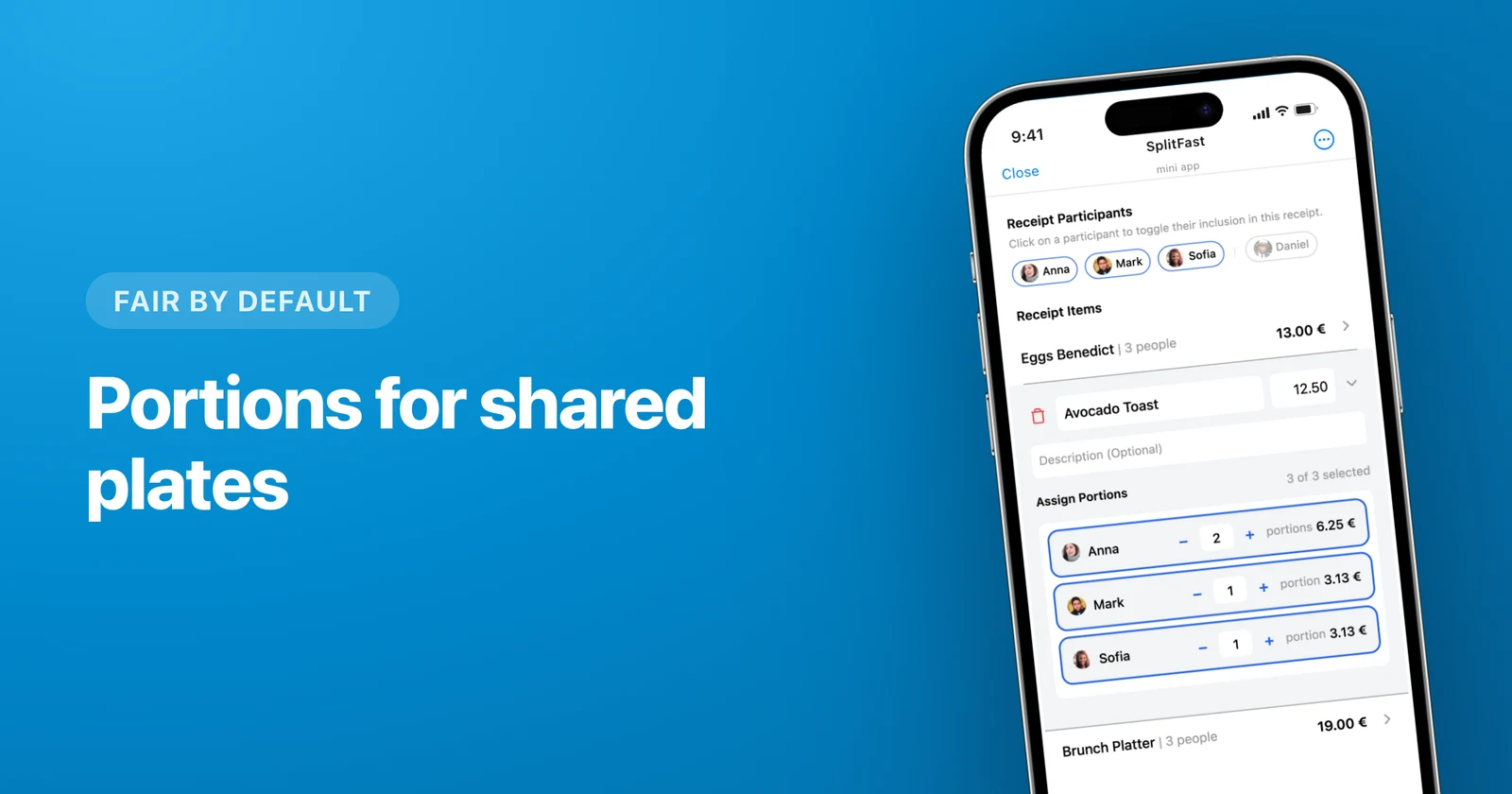
Zero holds even where you are not looking
Here is the important part about zero, and the reason this whole article exists. A member with a default of 0 is never substituted in automatically:
- you photograph a receipt and get the item list back — they are in none of the lines;
- somebody logs an expense through the bot right in the chat — they are not in it;
- you type a new item into an already open receipt — they stay out of that too, even if they are active on other items of the very same bill.
The only way to include such a person is to tap their name. Zero becomes one by hand, and only inside the expense where you did it. Back in group settings they are still at zero.
The rule works the other way round too. If somebody sits at two portions but skipped this particular dinner, you take them out of that one expense by hand. The group ratio you saved stays untouched.
That is where the food guarantee comes from. Sonia does not eat meat and stays out of the meat runs, so her portion count is zero. Now no photo of a butcher’s receipt and no forgotten checkbox can hand her half the ribs. When Sonia genuinely takes part, say in the house rent or the gas money, one tap brings her in.
The ratios people actually use
| Situation | Portions | What you get |
|---|---|---|
| Everyone equal | 1 each | A plain equal split, just without setting it up each time |
| Someone pays for two | 2 and 1 | A double share without a second account in the chat |
| Different salaries at home | 3 : 2 | An income-based ratio that stays the same every month |
| In the chat, not in the expenses | 0 | Never lands in an expense automatically |
| A member who lives half the week elsewhere | 0, added when present | Pays only for the weeks they were around |
Why "just split it equally" costs more than it looks
Equal is fair for exactly as long as the group list matches the expense list. After that the quiet arithmetic starts: ten dollars here, six there, and three months later one person has covered forty dollars of other people’s breakfasts without ever saying so out loud.
Nobody falls out over sums like that. They just stop suggesting the group thing.
Any single expense can still be fixed
Ellie ended up staying the weekend and eating with everyone. Dinner comes to $120: inside that expense a tap brings her in, portions go to six, one portion is $20. Kate pays $40, everyone else $20. In group settings Ellie is still at zero, and the next expense opens without her again.
The same goes for exact amounts or for splitting the bill by items when the evening turns messy. Your saved ratio is waiting on the next expense.
Where to start
- Add the bot to your chat if the group does not exist yet. Members are picked up automatically.
- Set the portions before the first expense, while nobody is arguing about numbers.
- Zero out everyone who is in the chat purely to hang out.
- Then just photograph receipts, and at the end of the month settle up with the minimum number of transfers.
One minute of setup removes a question the group would otherwise relitigate all year. The ratio is fixed, the wrong people are out of the expenses, and at 11:40 pm nobody has to decide who counts tonight.
Frequently asked questions
How do I set a split ratio once for the whole group?
Open group settings in the SplitFast Mini App and give each member a portion count: 1 for a regular member, 2 for someone paying for two, 0 for anyone outside the shared pot. From then on every new expense in that group opens with the saved layout and the amounts already split.
What does a portion of 0 mean for a member?
They stay in the group, see expenses and balances, and take part in the conversation, but no new expense includes them on its own. This holds everywhere: receipt scans, expenses added through the bot in the chat, and items typed in by hand. The only way to include them is to tap their name, and it applies to that one expense.
If I change the portions, do existing expenses get recalculated?
No. Default Portions only affect expenses created after the change. Everything already recorded stays exactly as it was, so you can safely change the ratio mid-month.
Can I deviate from the ratio on one specific expense?
On any of them. The default layout is the starting point; inside an expense you can include someone set to 0, bump another person’s portions, switch to exact amounts, or split by receipt items. The next expense goes back to the saved ratio.
We split rent and groceries in the same proportions every month. Is this the feature?
Exactly the one. Set a ratio like 3 : 2 : 2 once, and rent, groceries, internet and everything else split the same way with no extra taps. A one-off expense that breaks the rule gets fixed inside that expense.