Getting Started
How to Split Expenses in Telegram: Step-by-Step Guide (2026)
Read in other languages: Русский·Українська·Беларуская·हिन्दी·Español·Bahasa Indonesia·简体中文·Bahasa Melayu·தமிழ்
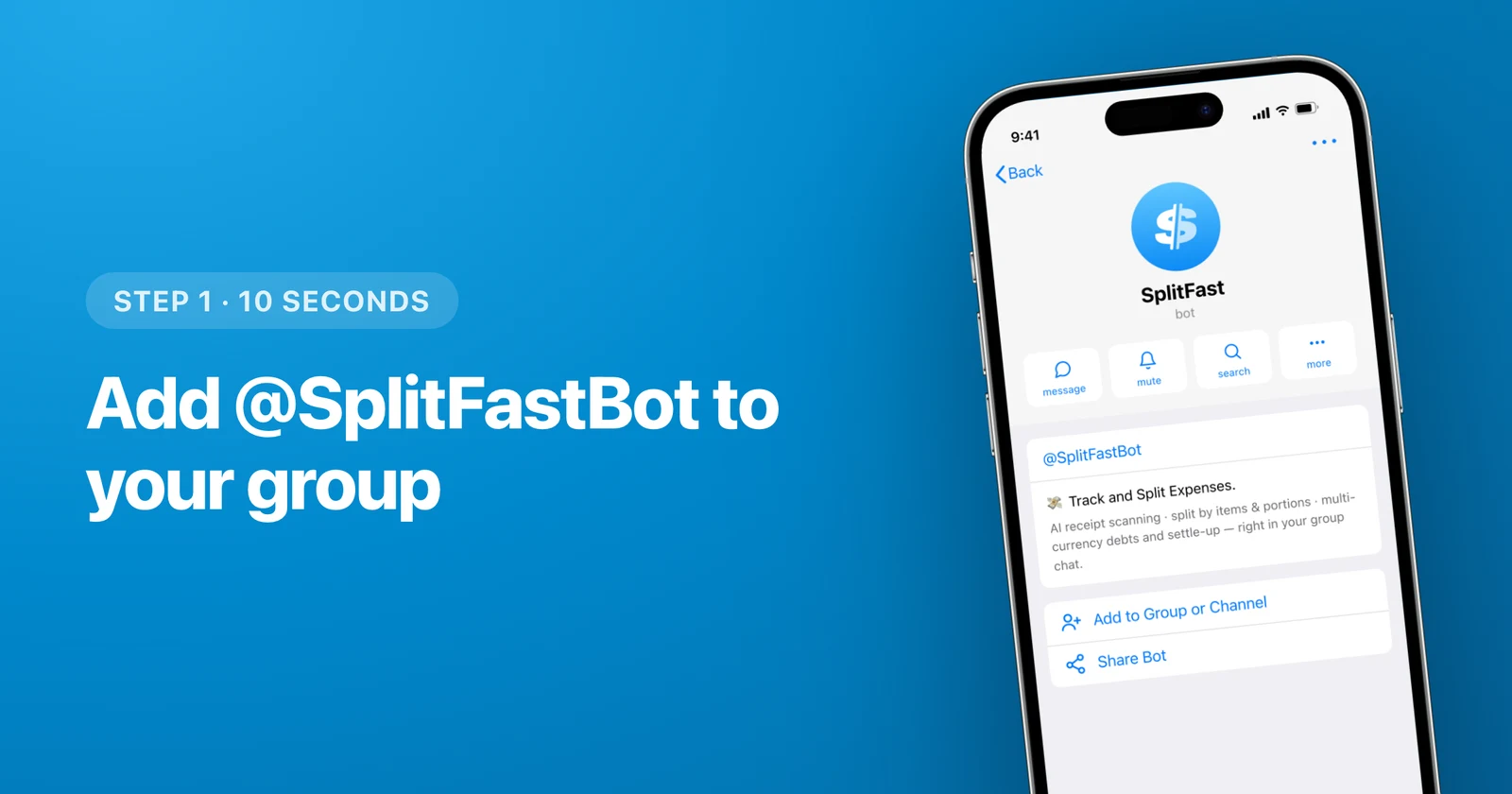
The fastest way to split expenses in Telegram is to add the free @SplitFastBot to your group chat: it automatically adds every member, lets anyone log shared expenses in a Mini App, and calculates who owes whom in real time. No downloads, no sign-up forms, no "please install this app" campaign — if your group already chats in Telegram, you are about 10 seconds away from your first split bill.
- Add @SplitFastBot to your Telegram group — members are picked up automatically.
- Log expenses in the Mini App: equally, by portions, by exact amounts, or from a scanned receipt (Premium).
- SplitFast nets out debts into the minimum number of transfers.
- Free for core features; works on iOS, Android, desktop and Telegram Web.
Why split bills inside Telegram at all?
Think about how a shared trip actually happens. The hotel discussion, the "who books the car" argument, the restaurant photos — all of it lives in one Telegram group. Then the money part starts, and suddenly everyone is supposed to move to a separate expense app, create accounts, add each other as friends and re-build the exact same group that already exists.
That last step is where most groups give up and fall back to a chaotic pinned message with numbers in it. A Telegram bill splitting bot removes the step entirely: the group you already have is the expense group.
Step 1: Add the bot to your group chat
Open @SplitFastBot, tap Add to Group or Channel and choose your chat (shown in the image above). That is the entire setup — no configuration wizard follows.
The moment the bot joins, it recognizes the people in the group. You do not send invites, share join codes or type anyone's email. Compare that with classic expense apps, where "adding your friends" is a whole onboarding chapter.
Step 2: Open the Mini App
Tap the pinned Open SplitFast message (or the button under the bot's welcome post). The Mini App opens right inside Telegram — same window, same identity, no login screen.
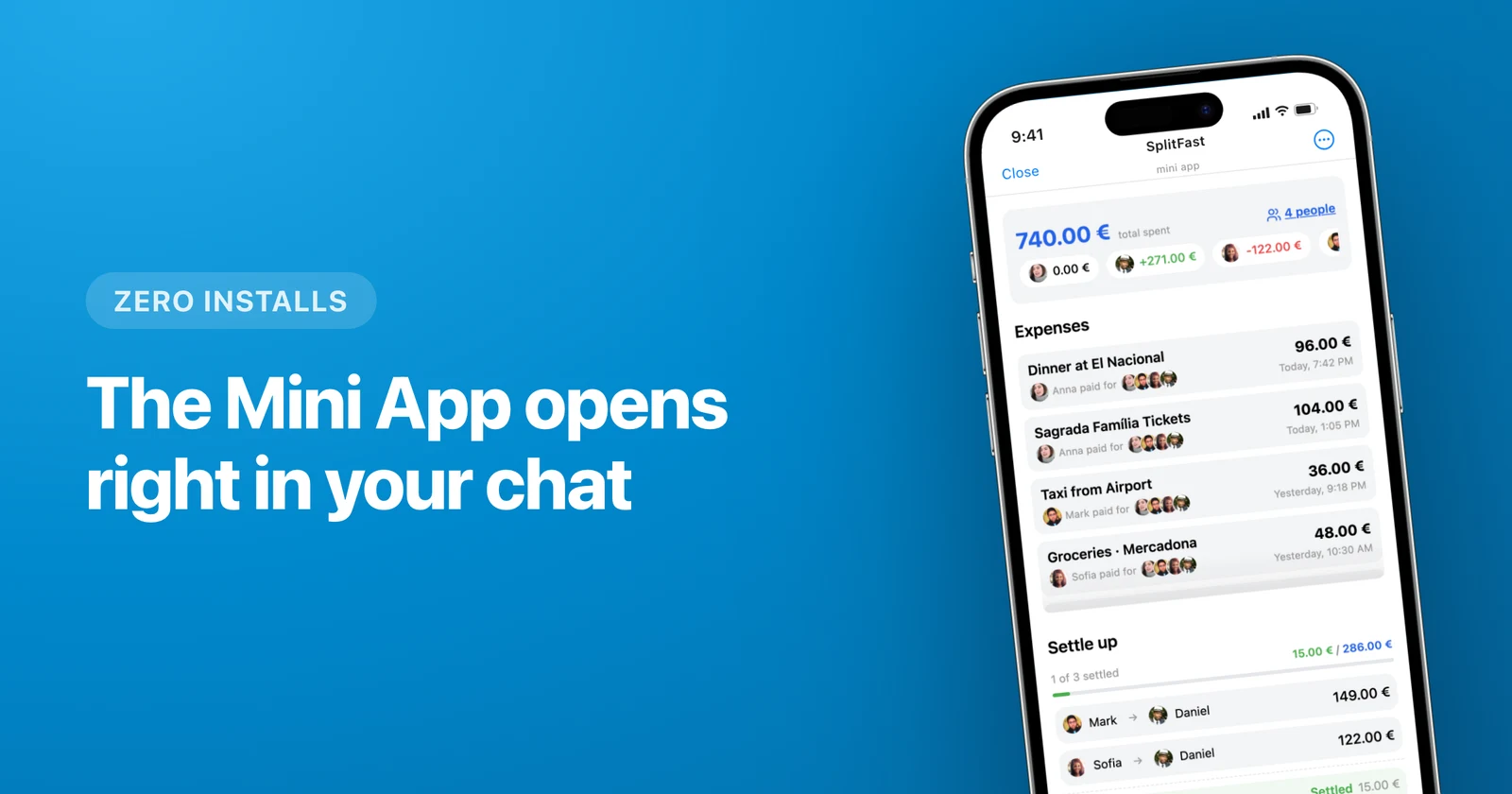
This is the part people mean when they ask for a Telegram expense tracker without another app: the interface is a real app — lists, buttons, charts — but it lives inside the messenger, so nobody in your group has to install anything.
Step 3: Add your first expense
Tap the plus button and enter what was paid: amount, short description, who paid. Then choose how to split it:
- Equally — the default for dinners, taxis, groceries.
- By portions — someone had two shares of the barbecue, someone had none.
- By exact amounts — when you know precisely who owes what.
- From a receipt photo — snap the bill and AI extracts every line item so you can split by items, not just evenly — a Premium perk that one premium member unlocks for the whole group.

Step 4: Track balances and settle up
After every expense, SplitFast recalculates the group's balances. Instead of a spaghetti of "Anna owes Mark, Mark owes Sofia, Sofia owes Anna", it nets everything into the minimum number of transfers — often one or two payments settle the whole trip.
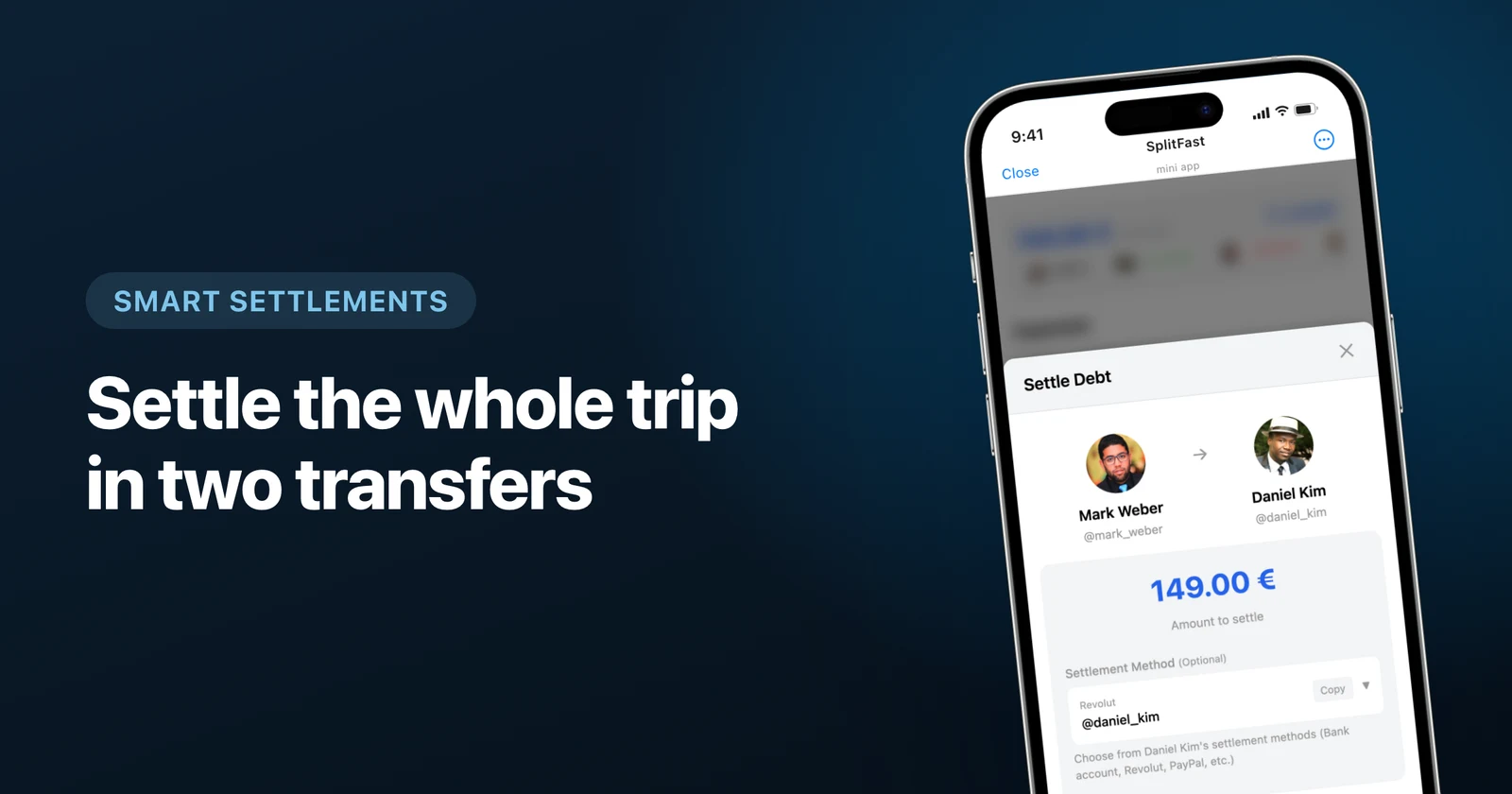
When someone pays you back, tap Mark as Settled and the debt disappears for everyone. Group members can attach their payment details (bank, IBAN, payment apps), so "how do I send you money" never needs to be asked in the chat. More on this in our smart settlement guide.
What about trips with multiple currencies?
Paid the hotel in euros, the taxi in dollars and dinner in local currency? SplitFast supports 150+ currencies and converts everything into your group's main currency using live rates — you can even pin a custom rate if your group agreed on one. Full walkthrough: splitting expenses in multiple currencies.
SplitFast vs doing it manually
| Notes app + mental math | SplitFast in Telegram | |
|---|---|---|
| Setup | Someone volunteers as accountant | 10 seconds, add the bot |
| Who owes whom | Recalculated by hand, argued about | Automatic, always current |
| Receipts | Blurry photos in the chat | Scanned by AI into line items |
| Settling up | N² awkward transfers | Minimum transfers, one-tap settle |
| Cost | One friendship per trip | Free |
That is genuinely all there is to it. Add the bot once, and every future dinner, road trip and shared apartment bill uses the group chat you already have.
Frequently asked questions
Do my friends need to install anything to split bills in Telegram?
No. If they are in your Telegram group, they are already in. SplitFast runs as a Telegram Mini App, so there is nothing to download and no account to create — Telegram is the account.
Can the bot read our group messages?
SplitFast only reacts to its own buttons, commands and the Mini App. Your regular conversation stays private — the bot has no business reading memes.
Is SplitFast free?
Yes, the essentials are free and ad-free: logging expenses (free groups hold up to 30), splitting equally, by portions or exact amounts, balances and one-tap settle-up. Premium adds AI receipt scanning, split-by-items, unlimited expenses and members, multi-currency and chat notifications — and a single premium member unlocks all of it for their whole group.
What if someone in the group does not use Telegram?
One person can add expenses on their behalf and settle with them outside the app. But in practice, this guide exists because your group already chats in Telegram — that is the whole point.