SplitFast in ChatGPT and Claude
Ask your assistant how much you owe for the trip, or tell it about last night’s dinner. It reads your groups’ balances and records the expense by the same rules as the Mini App. Your Telegram group sees the entry marked “via ChatGPT”, with an Undo button.
Where it works
ChatGPT
On the web and in the apps. Attach a receipt photo right in the conversation.
Instructions →Claude
claude.ai and the desktop and mobile apps. Claude reads a receipt photo itself and passes SplitFast the list of items.
Instructions →Claude Code, Codex, Cursor
The same tools in developer apps that connect external tools by URL.
Instructions →What you can ask
Write the way you talk. The assistant decides what to ask SplitFast and shows the answer as a card.
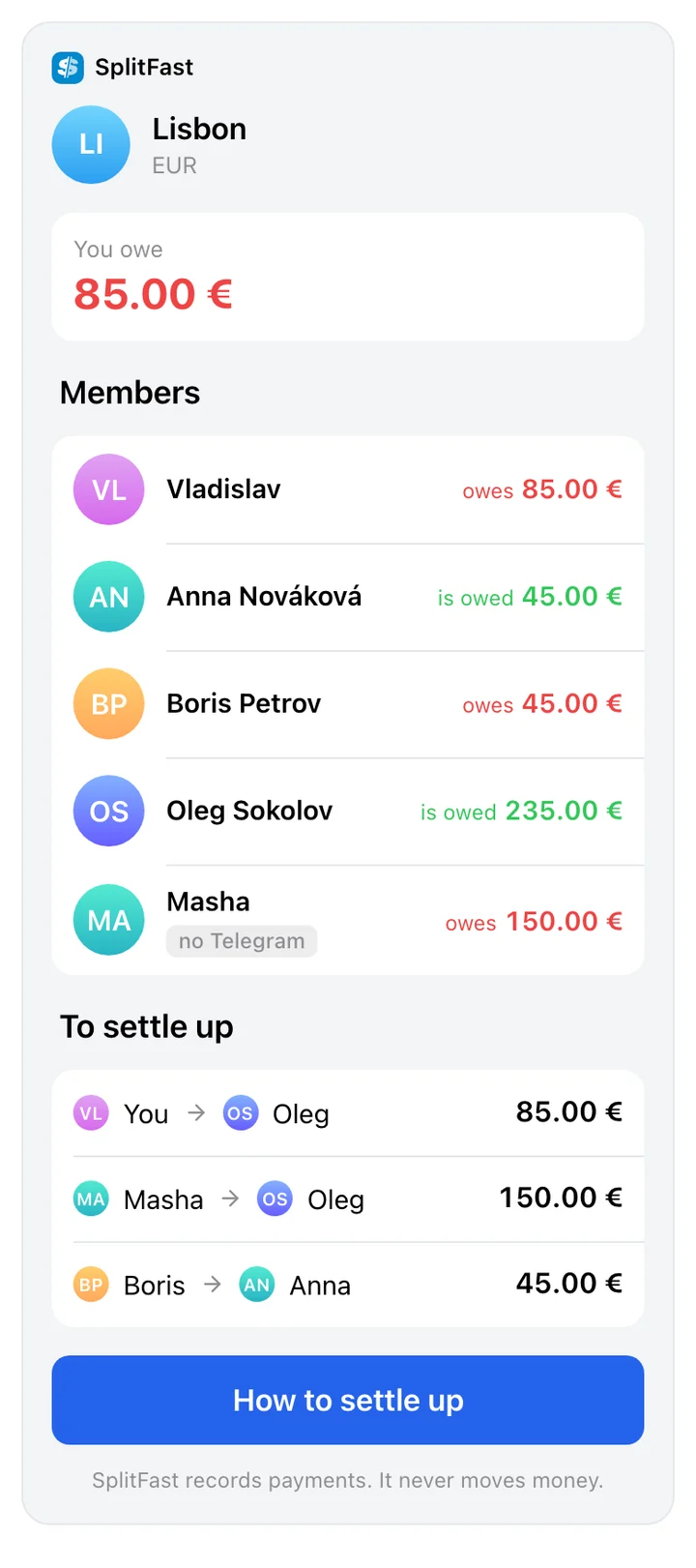
How much do I owe for Lisbon?
The group balance: who is up, who is down, and your own line.
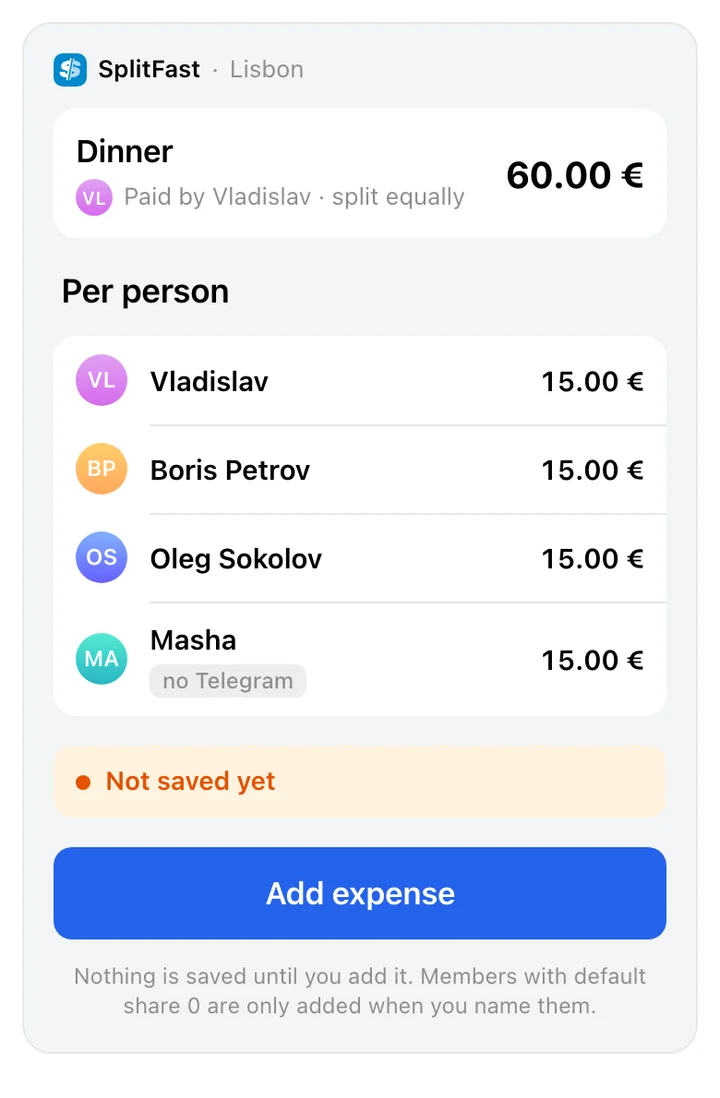
Add dinner, €60, everyone except Anna
First a card with the split per person. The expense is saved when you tap Add.
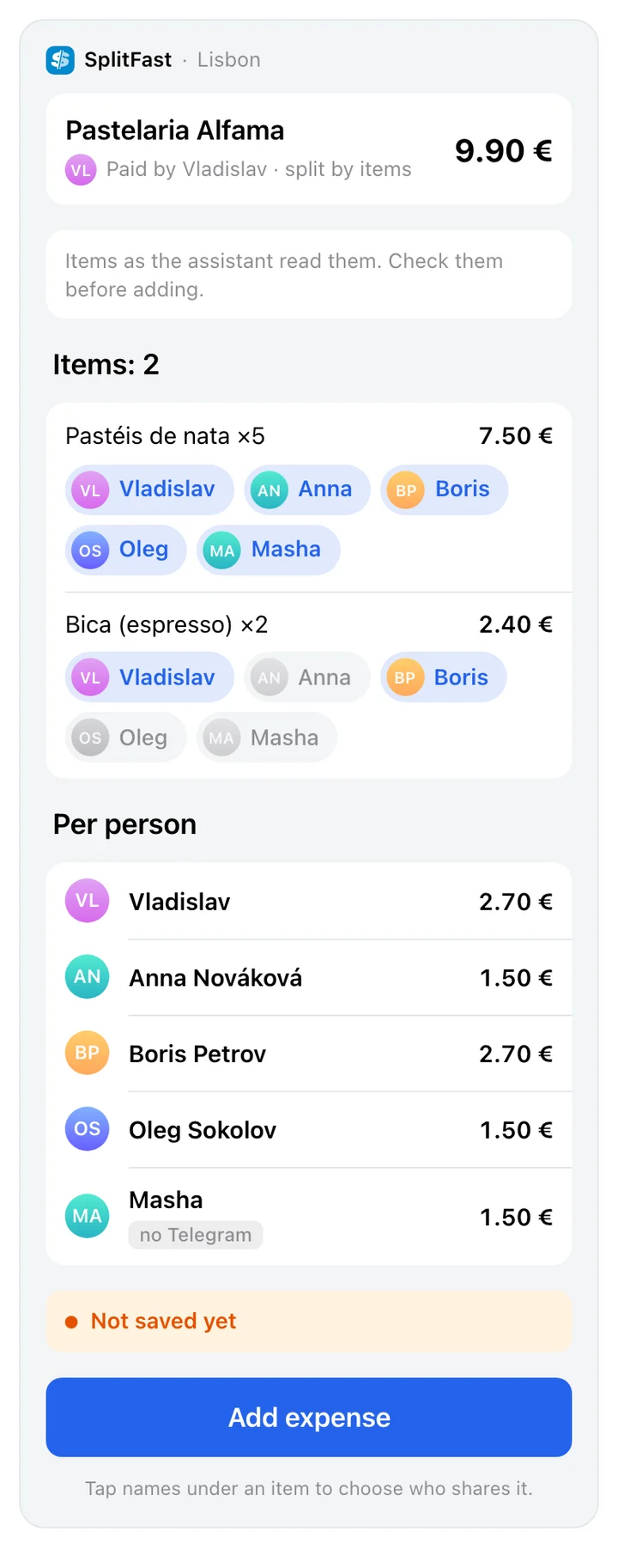
Here’s the receipt. Boris and I had the wine, the rest is shared
Receipt items with names. Reassign any line, then save it all as one expense.
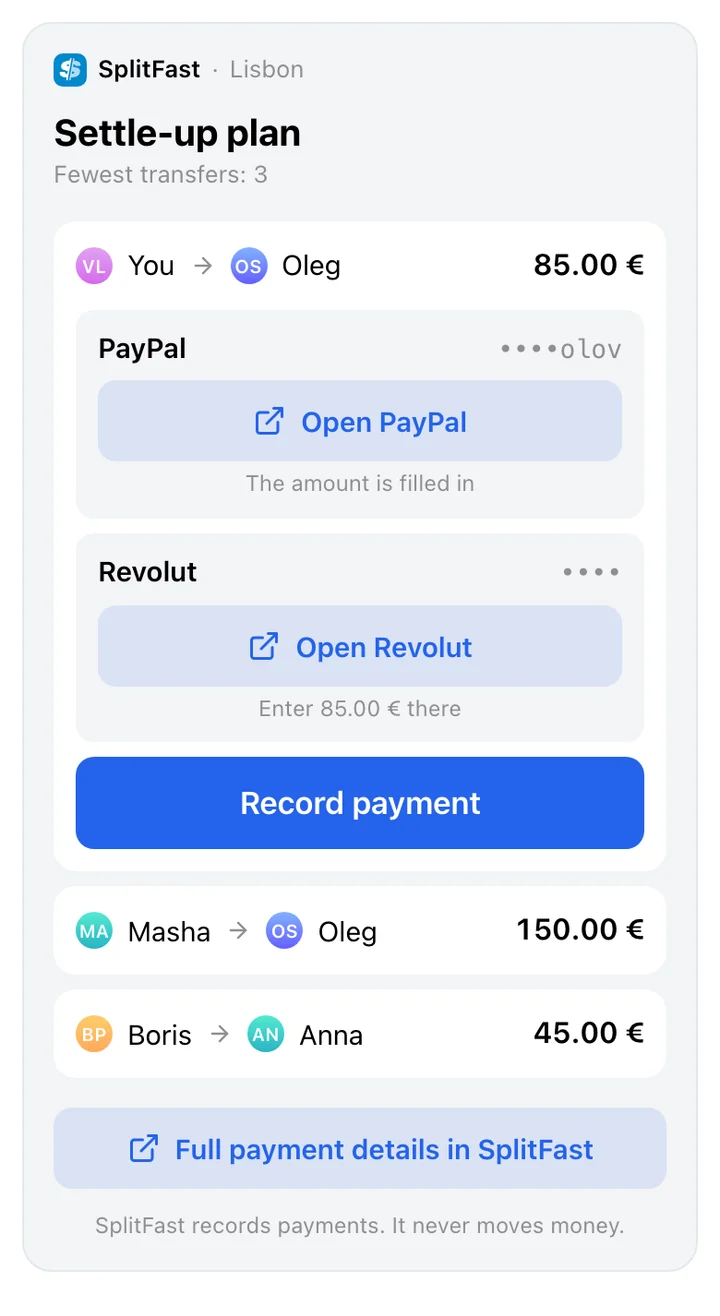
receipt photoHow do we settle up with the fewest transfers?
A transfer plan. If you owe, you also get the recipient’s PayPal, Revolut or Wise link, if they added one.
Peter paid me back €30
The payment is recorded in the group and the debt goes down. SplitFast never moves money.
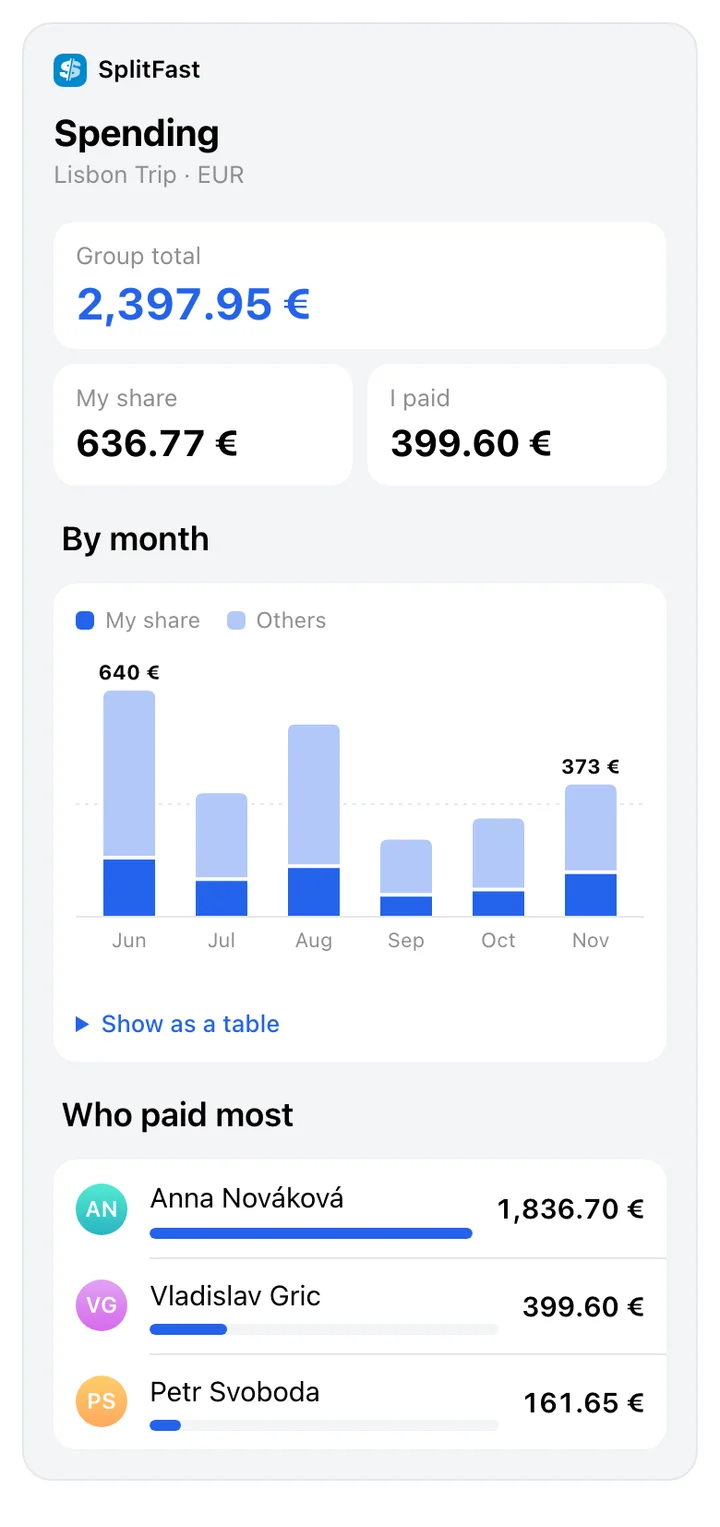
How much did we spend in October, and who paid the most?
A monthly chart, your share, and who paid.
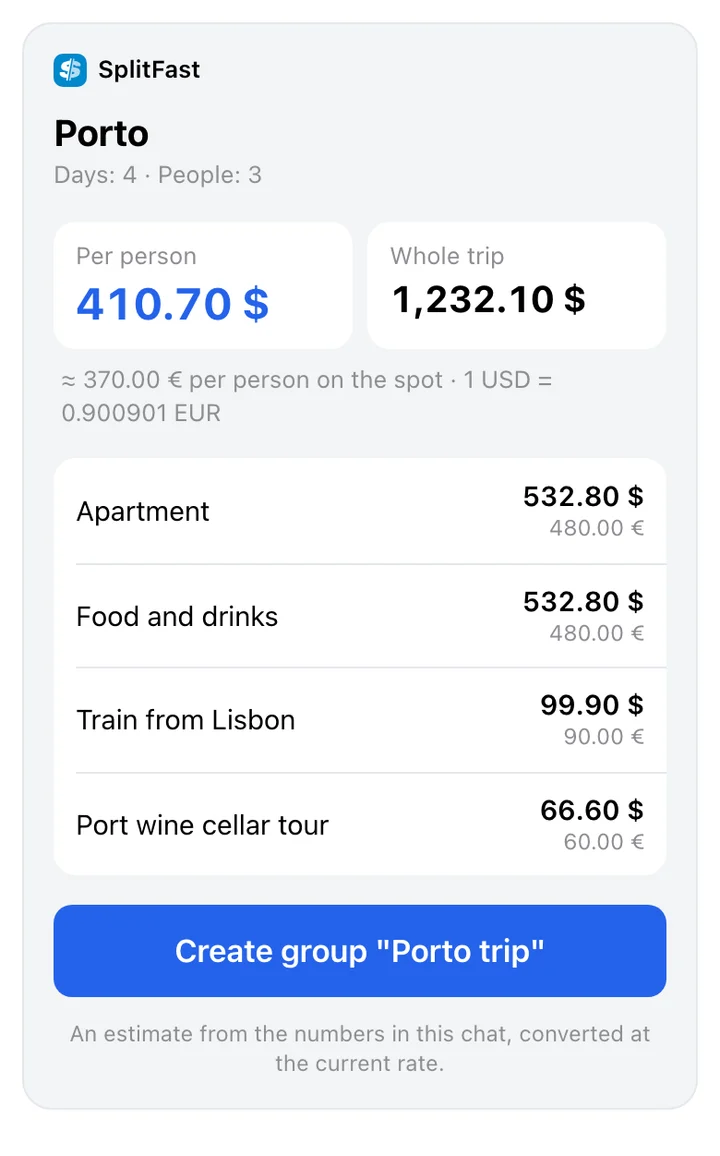
Estimate a 4-day budget in Porto for three of us
An amount per person in your currency. You can create the group right there and get an invite link.
Remind Masha about her debt
The bot posts a reminder in the group chat.
What it looks like
Real SplitFast cards from ChatGPT and Claude, on a test group.
What stays in your hands
Every expense is visible to the group
Whatever the assistant adds, the bot posts in the chat: “➕ Dinner · 60.00 EUR · via ChatGPT”. The post has an Undo button for the person who used the assistant and for the payer.
Zero stays zero
A member whose Default Portion is 0 is never added to an expense unless you name them. The confirmation card says so on its own line.
Only your groups
The assistant sees the groups you are a member of. Nothing else exists for it.
You see what you allow
Before you sign in, the SplitFast page lists what the assistant will be able to do: read expenses and balances and, if it asked for it, add new ones.
Disconnect at once
The /apps command in the bot, or Profile → Connected assistants in the Mini App. Access ends the same second.
Money stays put
SplitFast records expenses and payments. Transfers are yours to make, in your own bank or app.
Frequently asked questions
What is SplitFast for ChatGPT and Claude?
A connector that gives your assistant access to your SplitFast groups. It answers questions about balances and expenses and, if you allow it, records new expenses and payments.
Can the assistant send money?
No. SplitFast does not process payments at all, in the Mini App or through an assistant. It records who owes whom and shows the recipient’s payment link if they added one.
Will my friends see that an assistant added the expense?
Yes. The bot posts every such expense in the group chat, saying which assistant it came from. The expense history in the Mini App also says “added via an AI assistant”.
What if the assistant gets it wrong?
Tap Undo under the post in the group, or tell the assistant “undo the last one”. You can also delete the expense in the Mini App like any other.
What do I need to connect?
A SplitFast account (that is, Telegram) and a personal SplitFast Premium subscription. A supergroup subscription does not count: assistant access is given to a person.
What data does the assistant get?
What it asks for to answer you: your group names, member names, expenses and balances. Groups you are not in are out of its reach, and signing in with Telegram gives it no access to your chats.