SplitFast in ChatGPT
Tell ChatGPT “I paid €84 for dinner last night, split it with everyone”. It shows a SplitFast card with the split per person, you confirm, and the expense appears in your Telegram group marked “via ChatGPT”. Balances, receipts and debts work the same way, in plain words.
What to ask ChatGPT
Write the way you talk. The assistant decides what to ask SplitFast and shows the answer as a card.
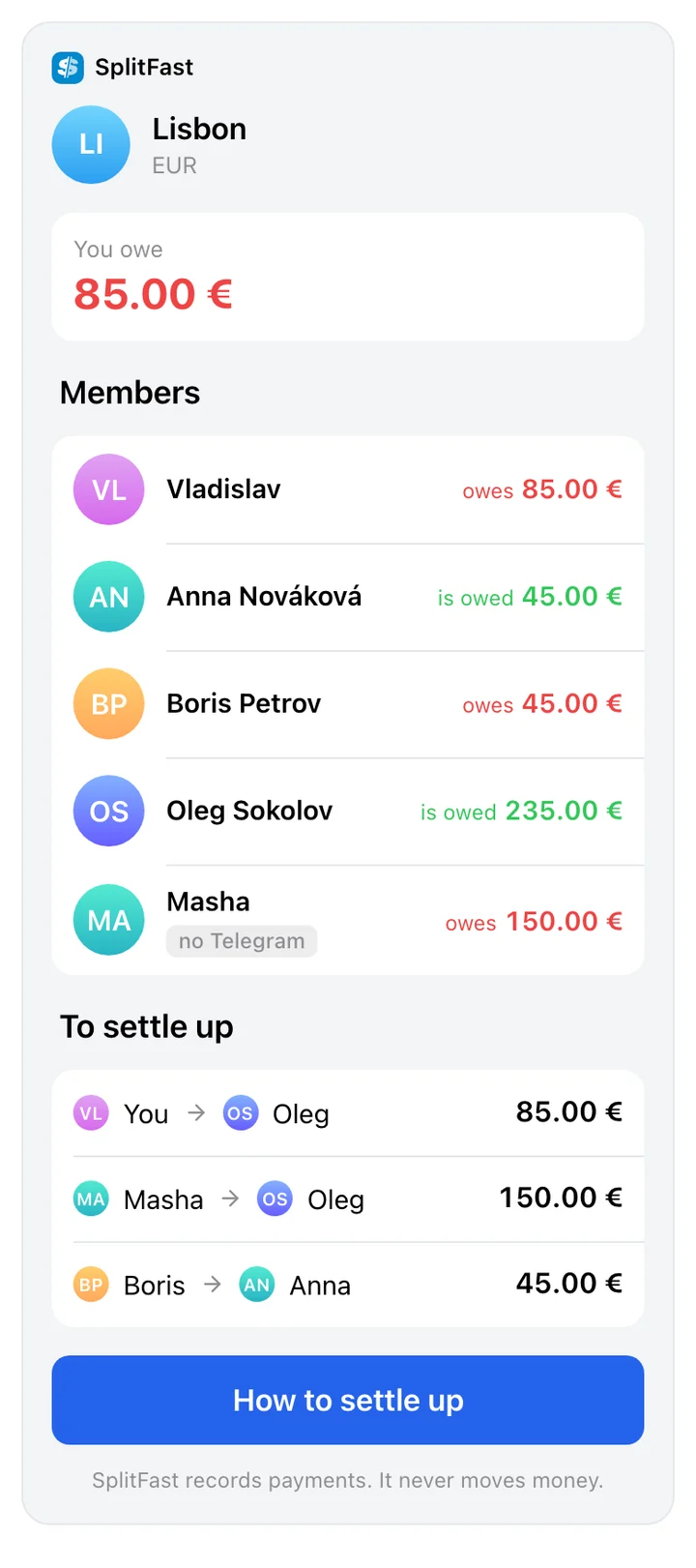
How much do I owe for Lisbon?
A card with the group balance. Your own line stands out.
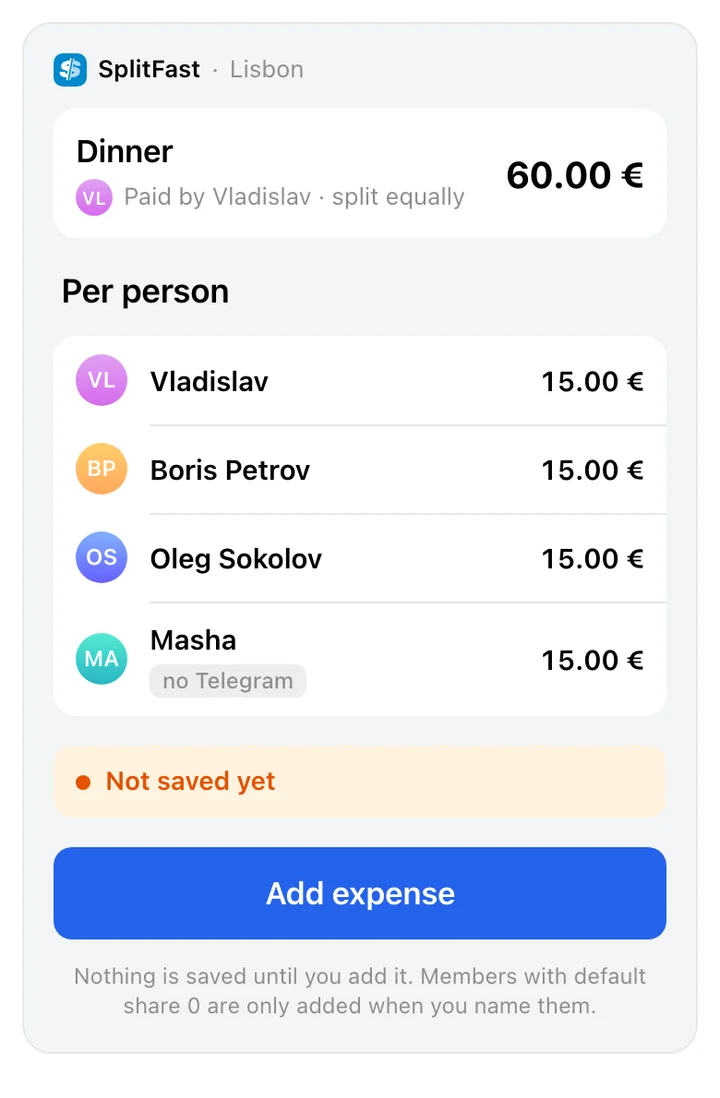
Add dinner, €60, everyone except Anna
A card with the split: who paid, who is in, how much each. It is saved once you confirm.
Here’s the receipt. Pastries for everyone, coffee for Boris and me
The photo goes to SplitFast as is and is read by the same scanner as in the Mini App. The picture is kept with the expense.
receipt photo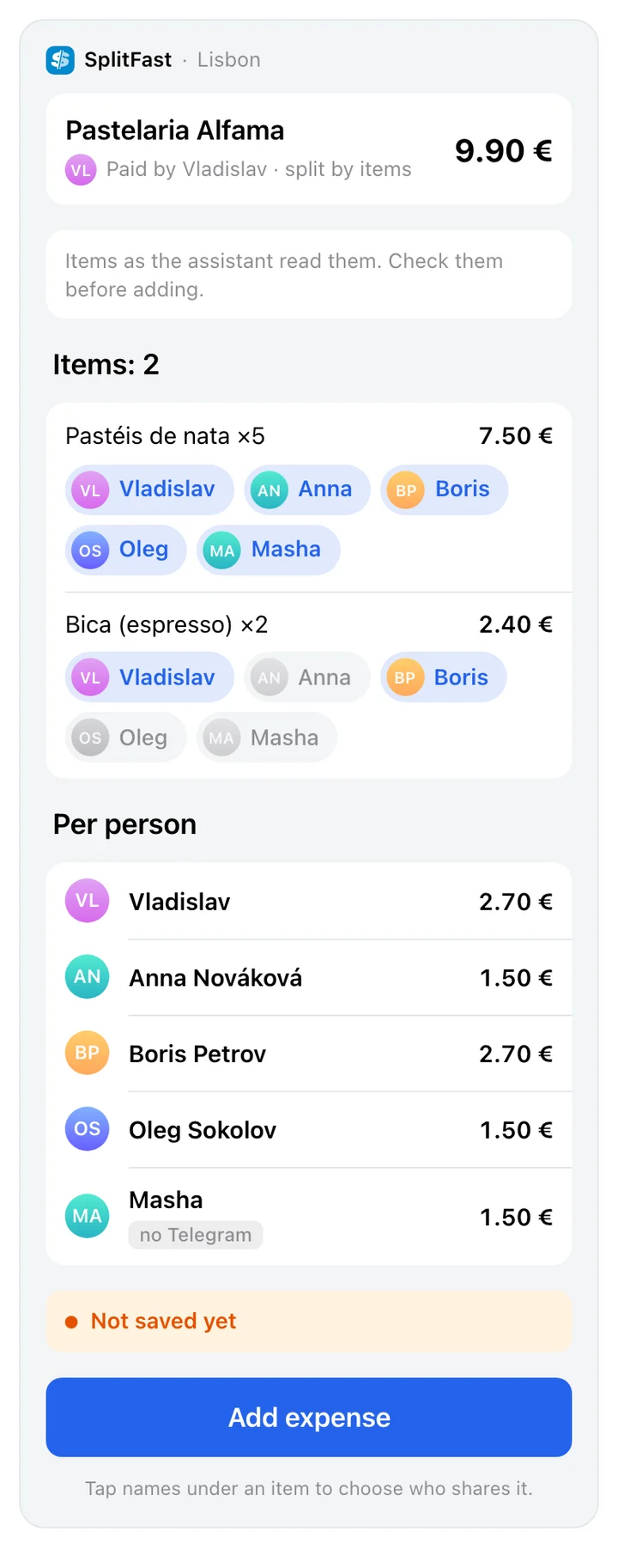
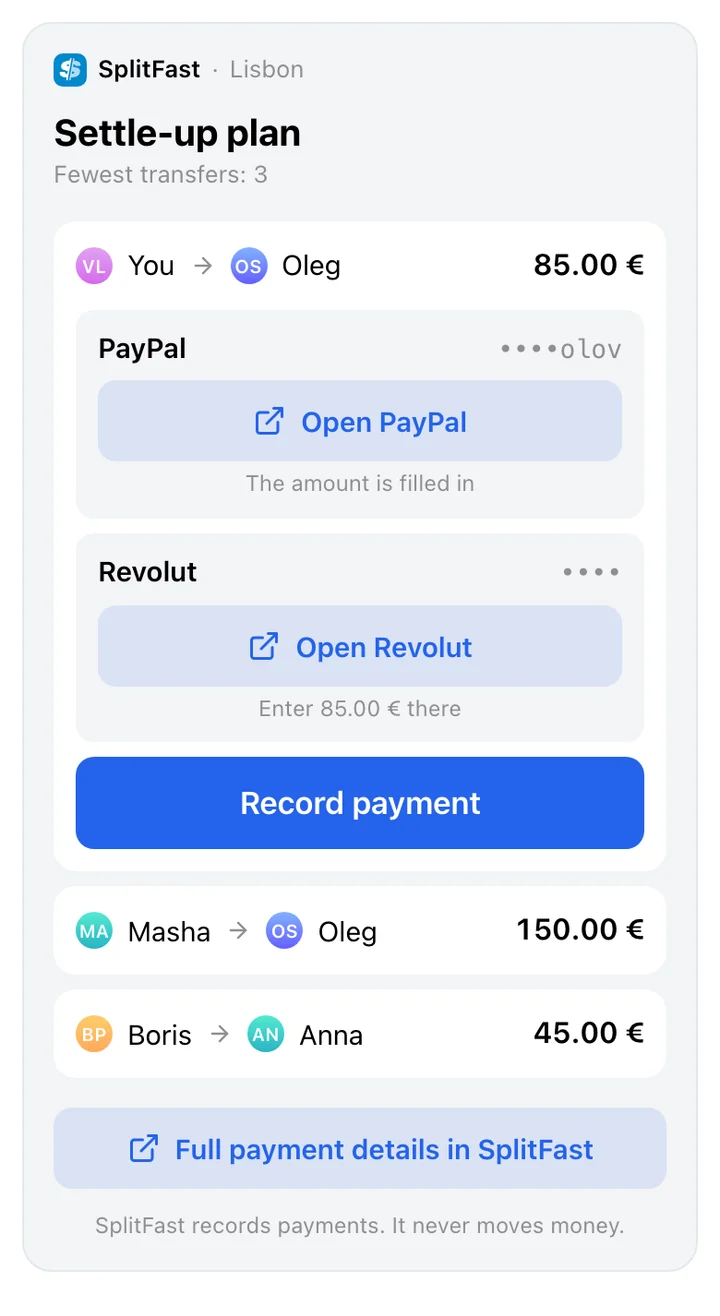
How do I pay Oleg back?
The amount and PayPal, Revolut or Wise buttons, if Oleg added them. Account numbers are masked; you make the transfer yourself.
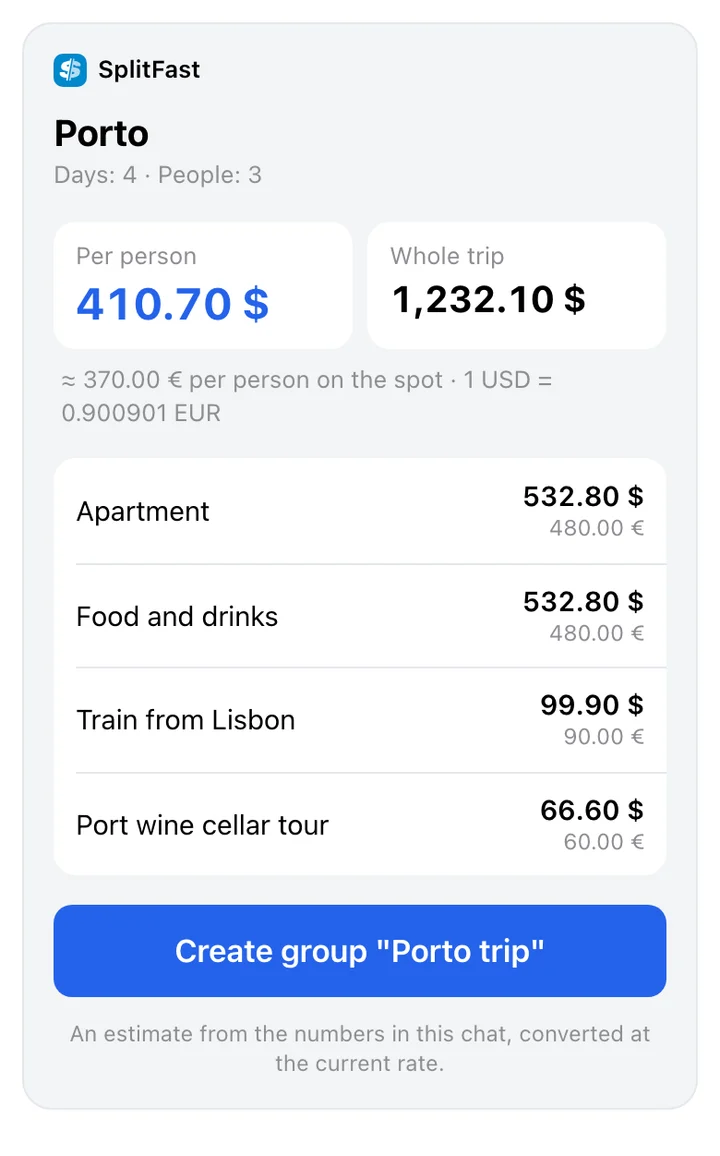
Estimate a budget for Porto: four days, three of us
An amount per person in your currency, and a button that sets up a group for the trip right away.
How to connect SplitFast to ChatGPT
https://mcp.splitfast.io/mcpOnce SplitFast is in the ChatGPT apps directory, find it there and click Connect. Until then, connect it by hand in developer mode:
Turn on developer mode
Settings → Apps → Advanced settings → Developer mode.
Create the app
Click Create app. Name SplitFast, URL https://mcp.splitfast.io/mcp, authentication: OAuth.
Sign in with Telegram
ChatGPT opens the SplitFast page. Click “Continue with Telegram”, confirm, and you are taken back to ChatGPT.
Pick SplitFast in a new conversation
In the “+” menu next to the message box, choose SplitFast. You can attach a receipt photo in the same conversation.
Developer mode is not available on every ChatGPT account, and both assistants rename menu items from time to time. If an item is not where we say, look for apps or connectors in the settings.
What the group sees
Every expense ChatGPT adds is posted by the bot in the group chat: “➕ Dinner · 60.00 EUR · via ChatGPT” with an Undo button. The person who used the assistant and the payer can tap it. The expense history in the Mini App says it was added via an AI assistant.
Frequently asked questions
Does SplitFast work in the ChatGPT mobile app?
Yes. The connection belongs to your ChatGPT account, so once you connect in a browser, SplitFast is available in the mobile app too.
What happens to the receipt photo?
ChatGPT passes the photo to SplitFast. It is read the same way as a scan in the Mini App, and the picture is kept with the expense so everyone in the group can open it.
Can ChatGPT read my Telegram chats?
No. Signing in with Telegram only confirms it is you. ChatGPT gets access to your SplitFast groups: expenses, members and balances.
Can ChatGPT pay for me?
No. SplitFast does not process payments. It records who owes whom and can open the recipient’s PayPal, Revolut or Wise page if they added one.
How do I disconnect SplitFast from ChatGPT?
Send /apps to @SplitFastBot in a private chat, or open Profile → Connected assistants in the Mini App, and tap Disconnect. Access ends at once.